Trex publishes viewing terms and reseller packs under /OTT/ on trexiptv.app. Look up the name on the receipt and the player edition independently. A Trex Pro splash and a Trex IBO form serve different steps.
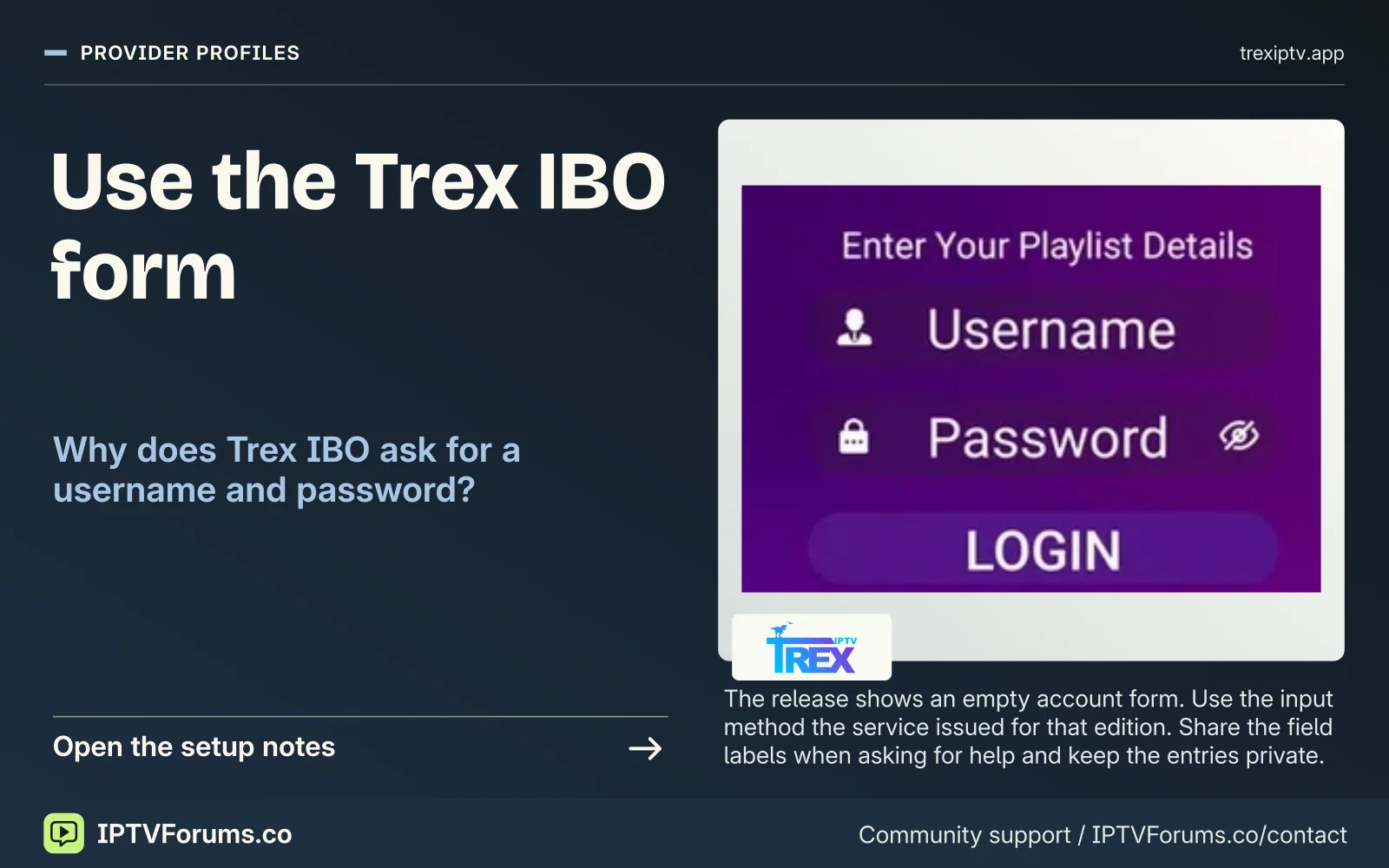
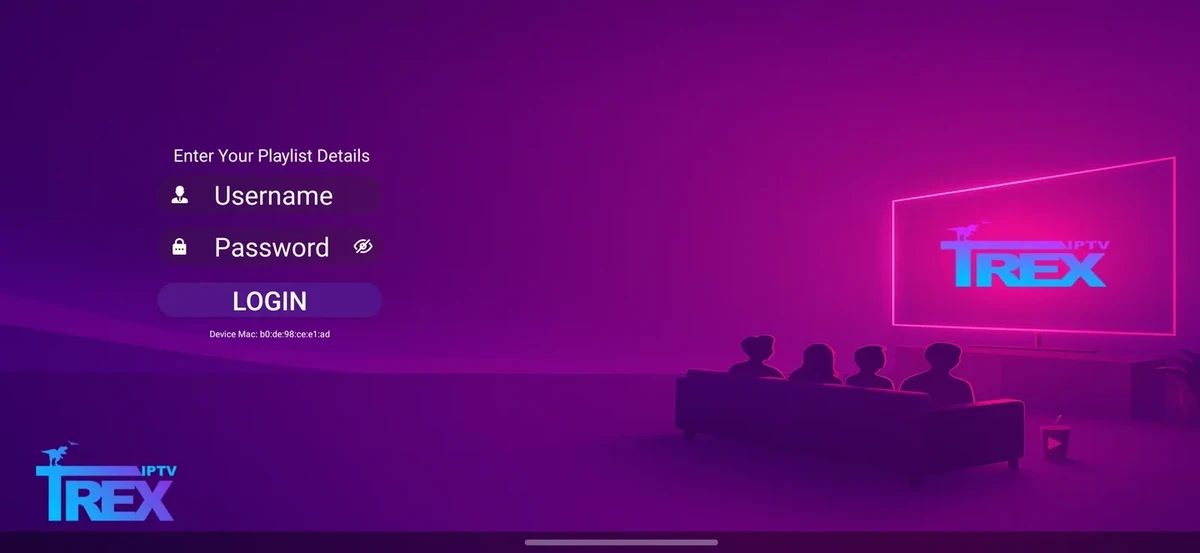
The release shows an empty account form. Use the input method the service issued for that edition. Share the field labels when asking for help and keep the entries private.
Trex costs a standard customer term in customer-months. Put the expiry date, duration and expected debit in the renewal note. Keep the opening balance until the new expiry appears.
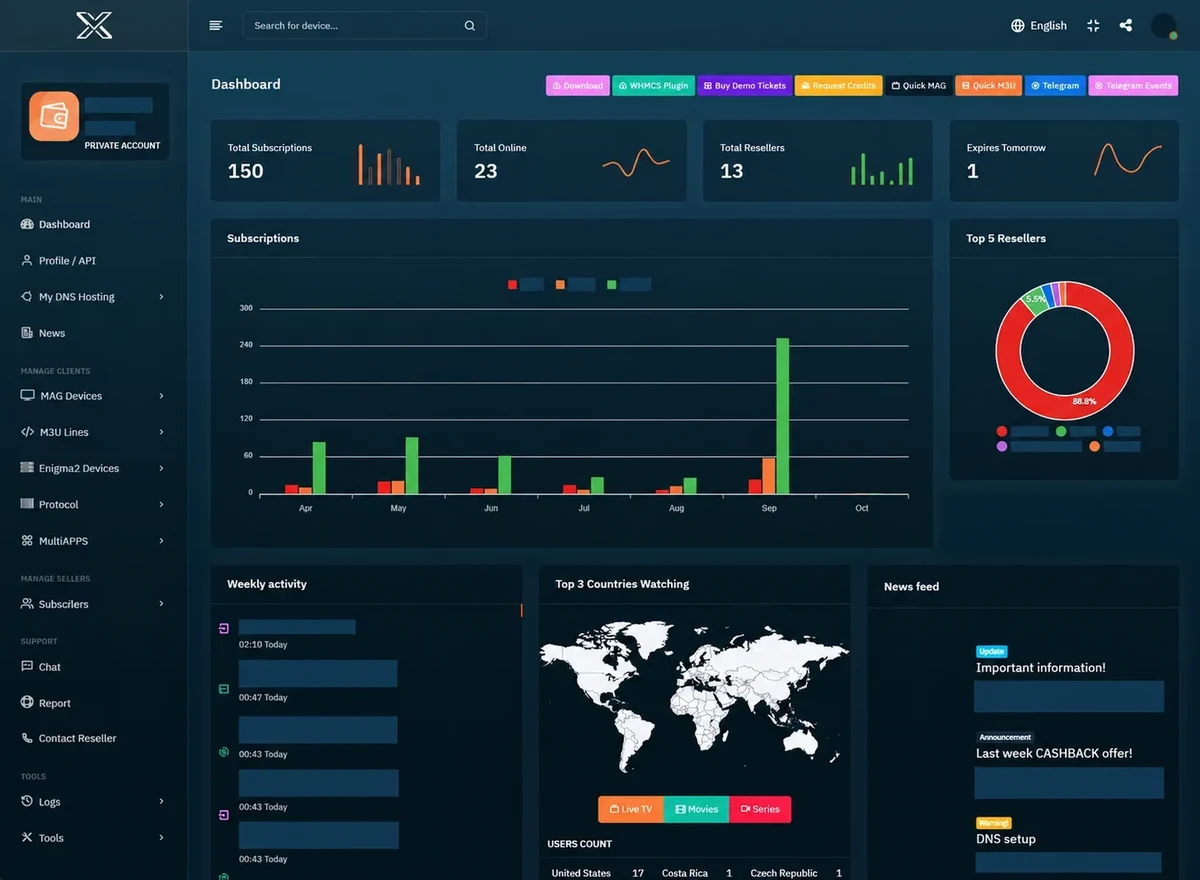
The toolbar shows a Request Credits action. Ask how an approved top-up is posted, what receipt identifies it and who can reconcile a pending request before placing another.
Keep the payment reference, requested pack and opening balance. Wait for the issue status or an operator trace before requesting the same credit addition again.
Full billed subscription totals in the seller’s quoted currency. Sources reviewed on 18 November 2026. Confirm renewal and the number of simultaneous screens for the order.
The Trex IPTV mark published with its /OTT/ website.
Trex IPTV publishes its current reference pages under /OTT/. Find your device on that site before deciding which Trex player the order is meant to use. Trex Pro and Trex IBO are listed as separate downloads.
Which listing is this?
The original comparison tables record the 13 November 2026 editorial edition. The illustrated offer cards carry their own evidence dates. Browse the dated pricing cards.
Item
Observed detail
Hostname
trexiptv.app
Product scope
IPTV subscription and reseller service
Source check
2026-11-13
Audience described in source
Confirm eligibility for your viewing and billing location
Full viewing term totals
Full advertised amounts. Confirm checkout charges, player licence and renewal terms with the named seller.
Term
Displayed total
Connections if stated
Evidence
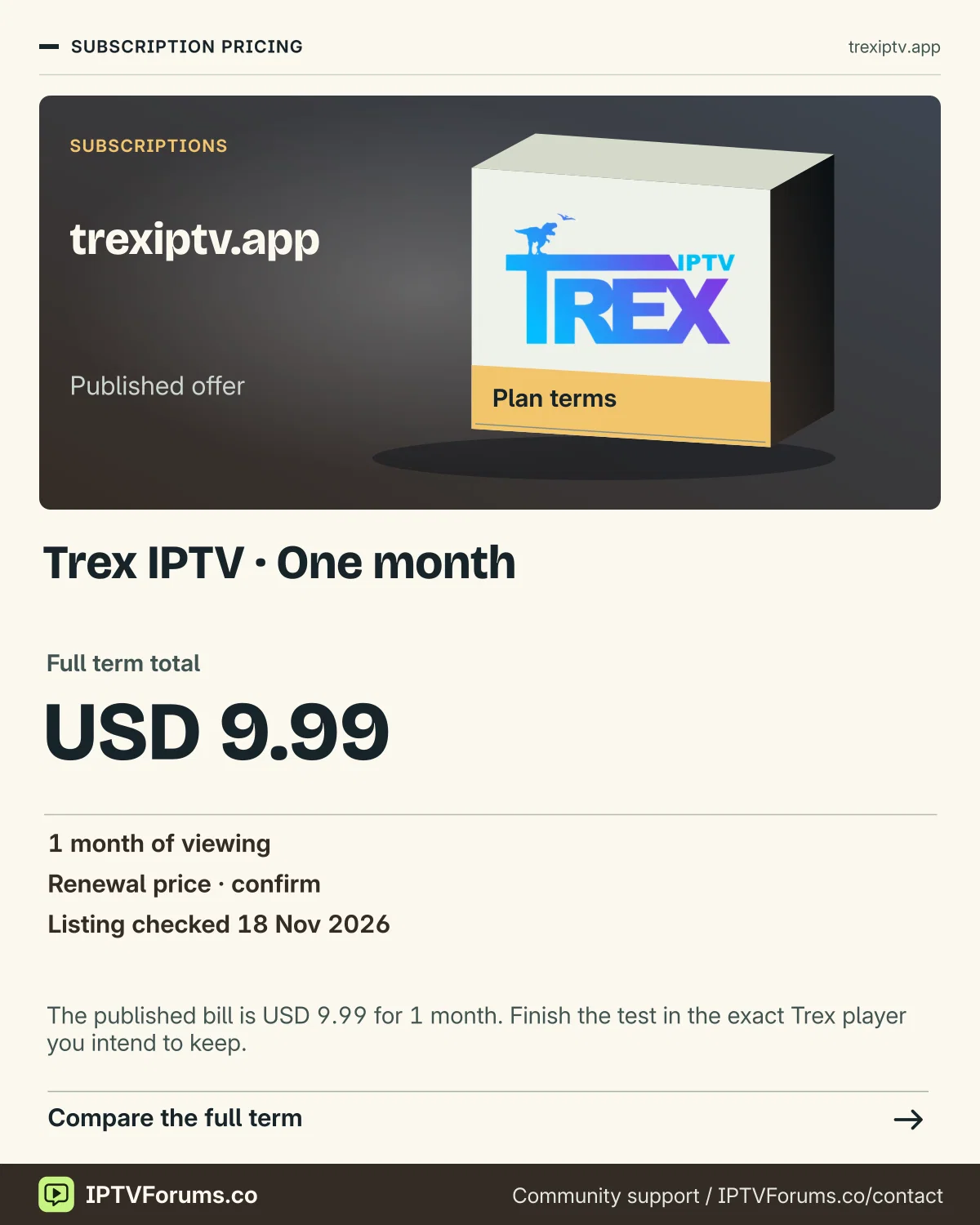
1 month
USD 9.99
Confirm for your order
first-party public listing
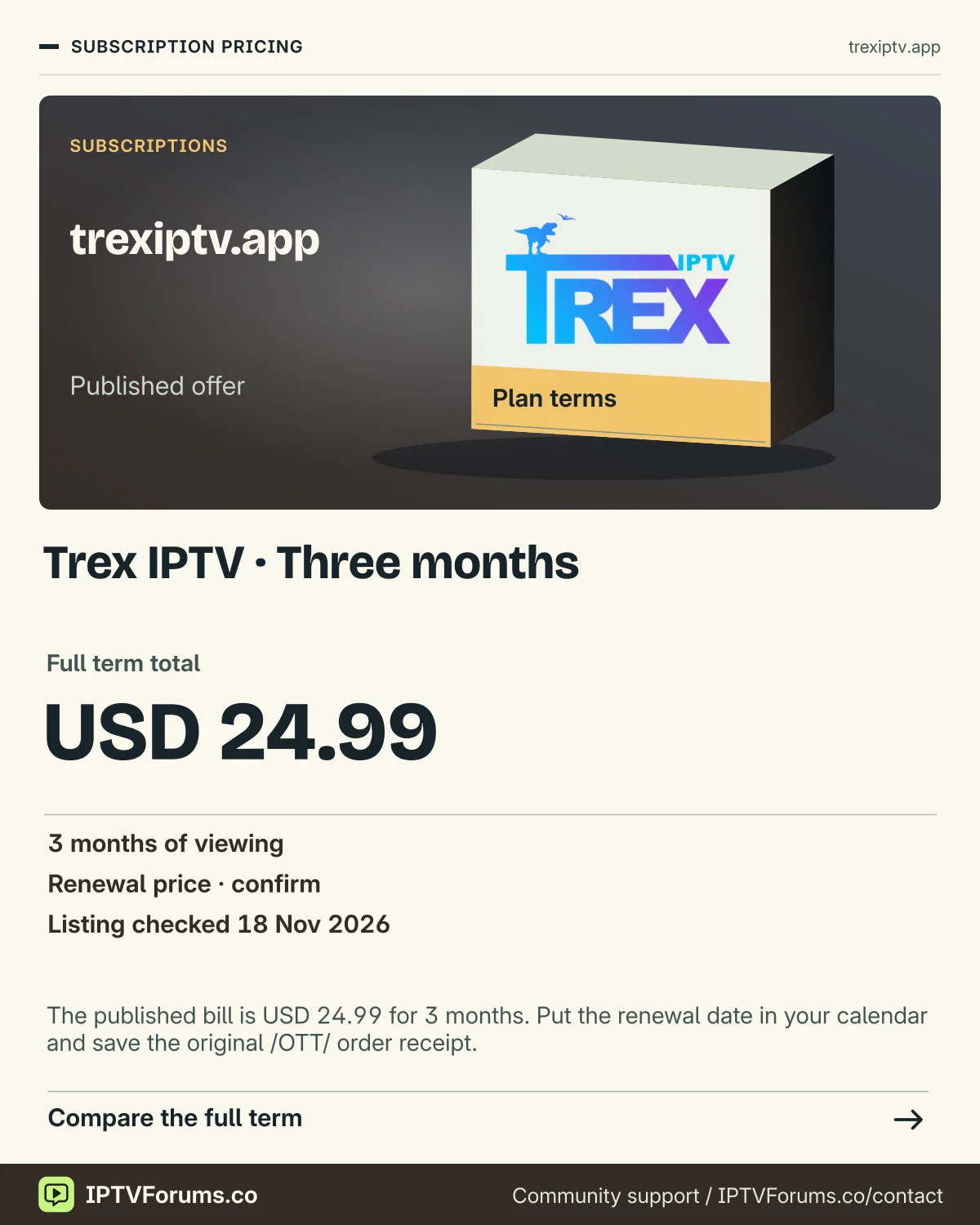
3 months
USD 24.99
Confirm for your order
first-party public listing
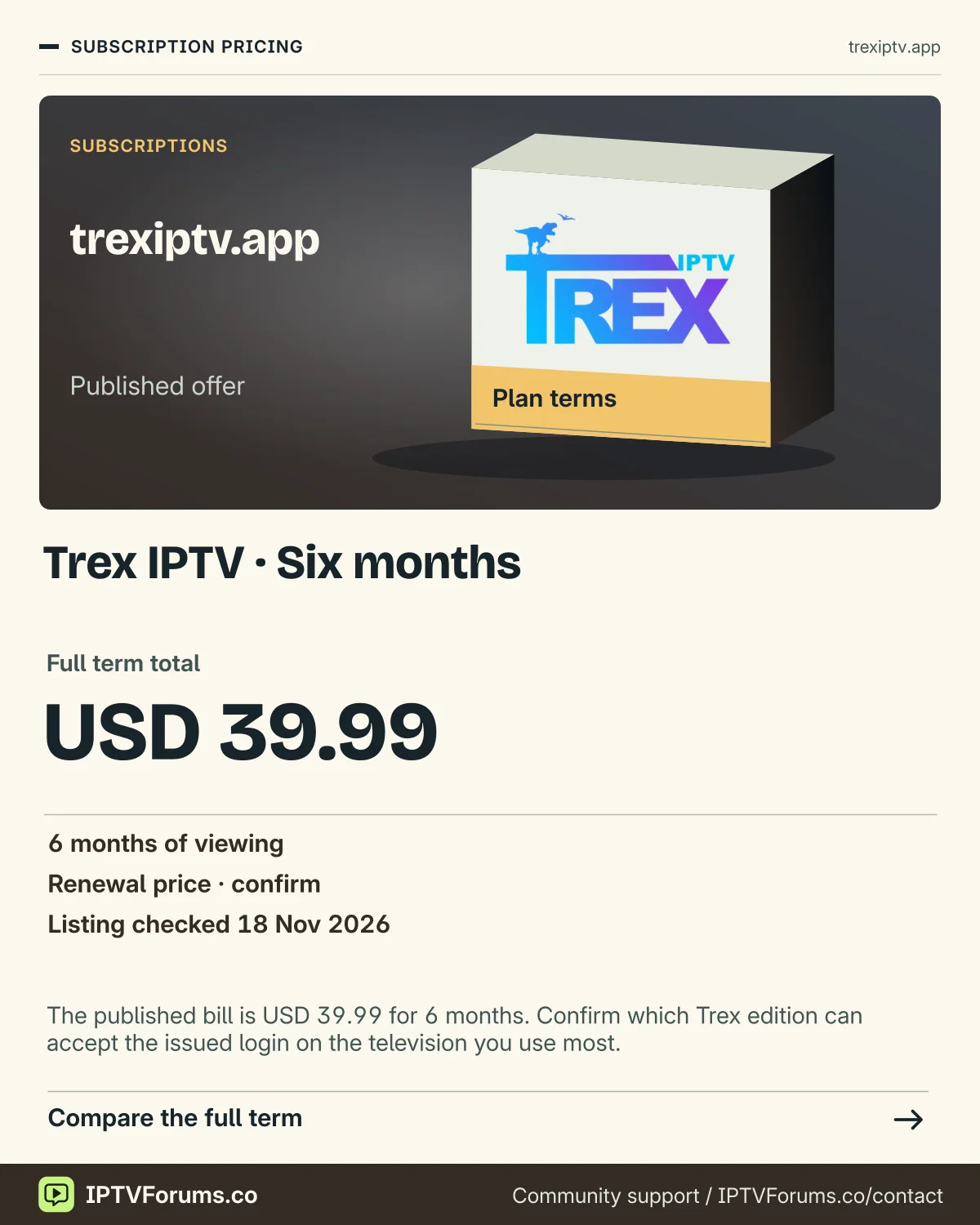
6 months
USD 39.99
Confirm for your order
first-party public listing
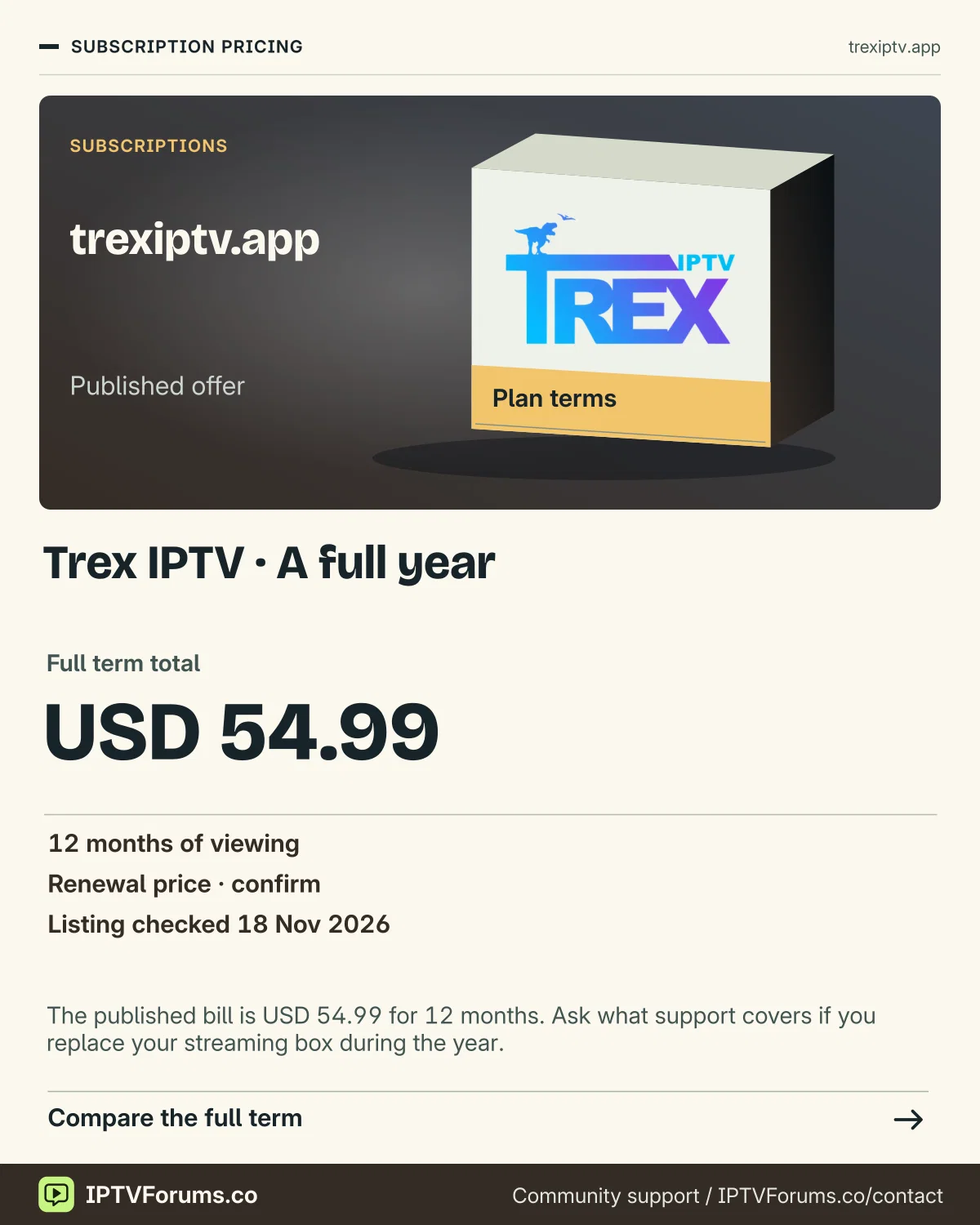
12 months
USD 54.99
Confirm for your order
first-party public listing
Trial details
Trex publishes a 24-hour trial request after compatible player setup. Its support team confirms the activation details.
Check the setup and account terms
Identify whether the source recommends Trex Pro, Trex IBO or another player for the exact device.
Use the corresponding package record and, where the download library lists it, compare the SHA-256 against the downloaded file.
Ask Trex to confirm the trial start, login method, simultaneous connection limit and any player activation fee.
Source limits
First-party indexed snapshots agree on the offer figures. Direct fetches of the pricing and trial pages returned HTTP 403.
The source instructs the buyer to confirm simultaneous use and the actual player licence before ordering.
What to check on a Trex setup
Open the exact download entry from the Trex publisher. If it publishes a SHA-256 value, compare it against the file you actually downloaded. Then look at the first account screen and ask support which fields your order should use.
For a renewal, save the device, player and full subscription term from the last invoice. Keep the player activation separate so you can tell whether a new charge is for the app, service or both.
Put the plan beside your device checklist
Advertised term totals and monthly equivalents
Term
Published total
Total divided by months
1 month
USD 9.99
USD 9.99
3 months
USD 24.99
USD 8.33
6 months
USD 39.99
USD 6.66
12 months
USD 54.99
USD 4.58
Price evidence for trexiptv.app was recorded on 2026-11-13. The monthly equivalent is a comparison figure. Check the payment schedule, licence fee and renewal conditions at checkout.
Identify whether the source recommends Trex Pro, Trex IBO or another player for the exact device.
Trex Pro and Trex IBO appear as separate entries in the /OTT/ app directory. The page identifies two Android packages by filename, byte size and SHA-256. If support asks you to use one, save that entry’s name along with the date of the instruction. A screenshot titled “Trex” in a message can describe either player. A package name gives you a way to check that the download, the instructions and the app you open all refer to the same build.
If a local copy of the named package fails its published integrity check, fetch the package again from the exact seller route or request the current record. Let support know whether your phone downloaded the file and copied it to the television or whether the television downloaded it itself. A size and checksum check can catch a partial or different file. Publisher identity and platform support still come from the store or the publisher’s documentation.
Keep renewal, licence and connection decisions on separate lines
Suppose Trex IBO is already working in the living room and you are adding another television. Ask whether the existing player activation can move, whether the new television needs its own activation and what happens to the old player if it remains installed. Then ask the viewing seller about simultaneous use. Those questions go to different services when the player publisher and seller are separate. Save the answer to each alongside the order. A successful app launch on the second TV establishes that the app opens. A separate overlap test, within the confirmed allowance, checks whether your order covers the way both TVs are used.
Trex’s own published twelve-month USD 54.99 amount is a term total. If an app activation is also due during the first term, the first-year cash outlay is both amounts together. At renewal, look at the actual licence and service dates. Repeating last year’s first-year number can overstate a renewal if the app activation lasts longer than the viewing term.
Plan around the customer terms already due
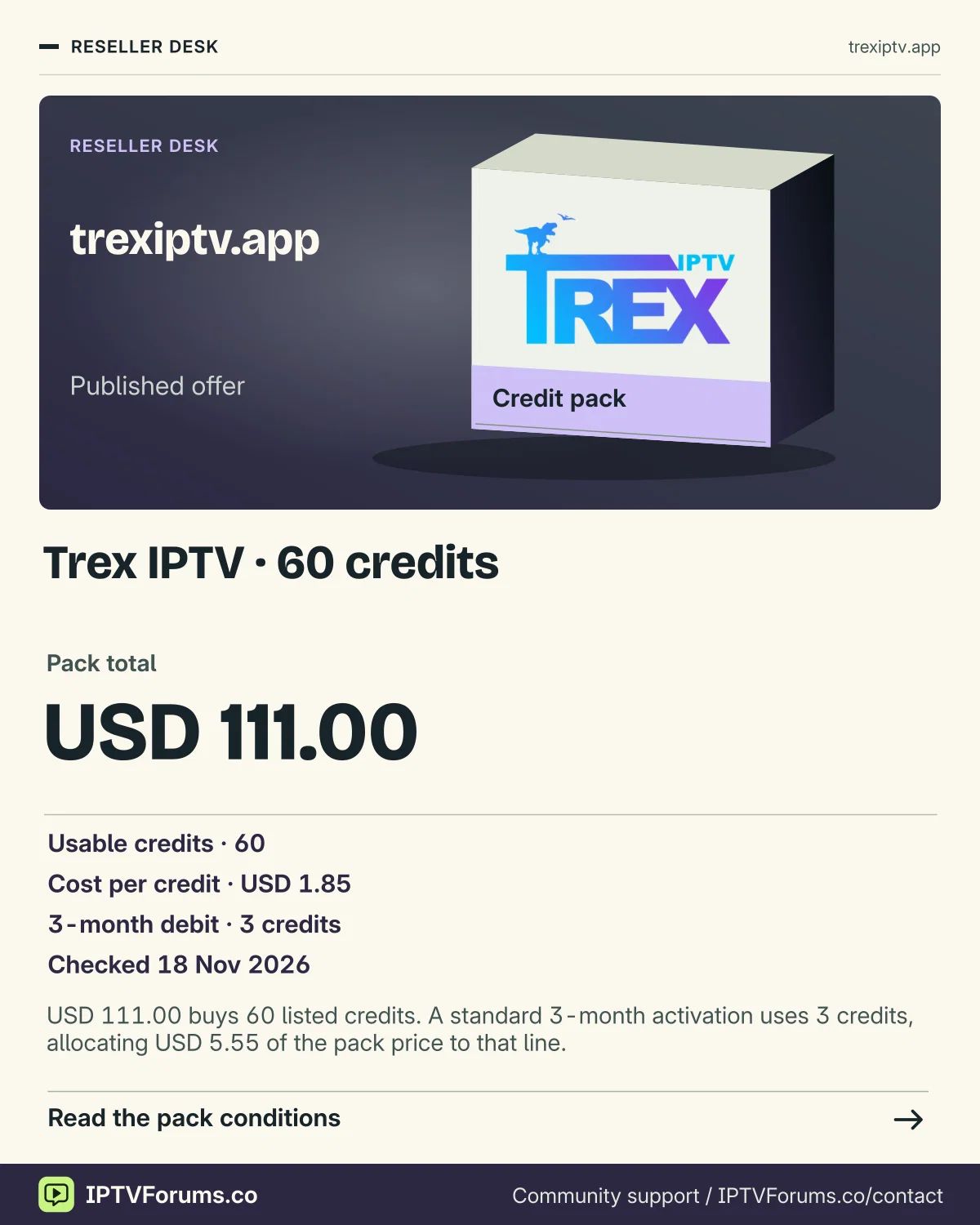
Trex’s published 60-credit pack costs USD 111.00 and allocates one credit per customer month. If four annual renewals and two quarterly orders are confirmed, those jobs use 54 credits. The six remaining credits would cover one standard six-month activation. Keep promised work out of the available balance until you know which account actions debit it. If a customer changes from three months to twelve months before activation, update the forecast first and request the panel’s actual adjustment or reversal policy if the earlier action already ran.
Decide what you are trying to replace
Trex has separate player records, service terms and reseller credit information under trexiptv.app/OTT/. Start with the problem that prompted the search. If a television stopped working after an update, you may need to identify its player and version rather than choose a new viewing term. If you are changing providers, you need to confirm the account method the new seller issues and whether your existing player accepts it. If you are adding another television, establish which device will run the app and whether the household needs simultaneous streams. Those choices send you to different parts of the provider’s site.
Imagine a household with a Fire TV device in the living room and a Windows laptop used away from home. Someone sends them a Trex Pro screenshot and the name of an older desktop package. A useful order note lists the actual Fire TV model, the platform and app listed for that model, and the proposed Windows player and build separately. Add where the two people plan to watch and whether they expect their sessions to overlap. Support can then answer which account method and allowance cover the request without treating the two screenshots as an agreed setup.
The November 2026 figures here are Trex’s published terms, checked against its price and reseller pages. Several pages were available as indexed first-party material when direct access was restricted. Treat the prices and player listings as source records. The examples below are planning cases for a buyer or reseller to work through on their own equipment. A full viewing term only makes sense if you can establish the app, allowance and source arrangements you need.
Use Trex’s app names precisely when asking for help
Trex’s app library includes Trex Pro and Trex IBO as distinct Android entries. It also records names such as Trex IBO Pro and Trex VIP. Look at the complete title and version in the device’s installed-app information. A family of names often makes sense in the download directory and becomes ambiguous in a support chat. If you can see the home screen but cannot determine which build is installed, include the device, version if available and a cropped image showing only the visible title. The field labels on its sign-in screen can be enough to distinguish another player with similar branding.
The local records for TREXPRO.apk and TREXIBO.apk illustrate why the exact entry matters. On the published app download page, the first file is recorded at 54,028,876 bytes and the second at 58,392,576. Each record has its own SHA-256. When you have been sent a confirmed source, compare the file you actually received with the matching record. If you have a different filename or size, the first task is to identify the build. Avoid comparing a new download against an unrelated entry simply because both titles say Trex. A matching hash confirms the bytes against the published record. The trust and compatibility questions still belong to the platform and publisher.
Some older entries in the catalogue use external storage or list availability and review notices. If the record shows a warning or an unconfirmed source, ask the provider for the current approved distribution path and the platform publisher’s information before installing. A shortcut can resolve to a file without showing where it came from. Save the complete listing details and status rather than copying a numeric code into your notes on its own. That information gives you a way to check an installation later if the catalogue changes or the same number turns up in a message about a different player.
For a computer, look up the record on the intended operating system. Trex lists Windows App 1.2.0 separately from Player for Windows 0.2.0. Its MacBook App 1.2.0 and Player for macOS 1.0.0 have distinct listings too. An EXE, DMG, Android APK and Enigma2 IPK are meant for different environments. Ask for the edition that supports the operating system version, processor and account input you will use. Confirm that the desktop app suits the controls you need, including audio output, full screen and the ability to switch back to the guide.
Check the platform on the viewing device before getting an installer
If your television usually opens to an HDMI input, take the device name from the attached box or stick. The screen and the player can come from different manufacturers. A Trex setup on an Android TV box can appear on a Samsung display, while the television’s native store still runs Tizen. The box’s app store and system version determine the first install route in that example. If you want the native TV route instead, look for a compatible app in the TV’s regional store and confirm that it accepts the account input the seller provides.
For Fire TV, use Amazon’s device specification for the full model name. The 2025 Fire TV Stick 4K Select runs Vega OS, while Android installer instructions belong to a compatible Android-based or Fire OS route. Trex publishes guides for Fire TV and related devices, with compatibility depending on the actual build. If the player does not appear for the Vega model, ask for a supported store route or use another device you can confirm before purchasing. Moving the APK between a computer, phone and television leaves the underlying platform requirement the same.
For an LG or Samsung native player, check the app listing on the actual television, including its region. Keep the app publisher’s store information with the subscription setup note. If the phone has an app with a familiar name, it may still expose a different activation or playlist interface. For iPhone, iPad and Apple TV, check the entry for each operating environment separately. If you want to send playback from a phone to a television, check the sender app, receiver and ordinary controls with an authorised example first. A casting arrangement can satisfy a household that keeps a phone nearby. Someone who prefers to sit down with one remote may need a different player route.
Decide which device runs the player
Viewing setup
Where to check
Question to ask
TV with a connected Android box
Box system and publisher listing
Which edition and account input does this box support?
Fire TV device with a similar model name
Amazon’s device specification
Does this exact model use Fire OS or Vega and is the app offered there?
Samsung or LG native TV route
The television’s own regional app store
Which published store app accepts the assigned method?
Windows PC or Mac
The separate Trex desktop build record
Which version and processor can the published package support?
Match the first screen to the private account method
A compatible player can show separate fields for server address, username and password. Another edition can ask for a complete playlist, device registration or activation instead. Start by identifying the kind of screen that is open and follow the account method issued for it. Copy the assigned server information as provided. If the address gives an error, ask the seller to confirm the scheme, port or path through the private support route. Changing those parts by guessing can send the app to a different destination and turn one unclear field into a longer login problem.
For a first setup, make one named profile and keep the original message so you can identify the account record later. If the app lets you choose a player profile name, use a label that helps you distinguish the intended test. Leave other imports and guide settings for a later step. First establish whether the player accepts the issued method, loads its categories and plays one familiar example. Those are three different observations. A catalogue that loads but fails on one programme gives support a different starting point from an app that never gets past sign-in.
If you are migrating an older setup, record what you need to keep before reinstalling or deleting anything. Note how to find favourites or an export if the publisher supports one, where guide settings are stored and how to get the current account information back through support. Capture the model, app version and profile labels without putting passwords or full playlist addresses in screenshots. Keep the previous working configuration available until you can open the replacement, play an authorised programme and verify that the guide and controls match the tasks the household uses.
An error code alone rarely identifies the layer to investigate. A rejected account input, a stalled catalogue import and a working programme with the wrong guide time each need different evidence. Copy the actual error text safely and note the screen and timestamp. If the app has a local clock offset setting, leave it untouched until you can tell whether all guide entries shifted together or just one channel is mapped incorrectly. An adjustment made to fix one feed can change the displayed time for every working channel.
Put the 24-hour trial on your household’s timetable
Trex’s trial page describes a 24-hour request through support after choosing a suitable player. Ask when the issued account starts and expires. The right time for someone who mainly watches after work is an evening they can actually sit in front of the television. Make sure the household can reproduce its normal network and sound setup. A trial done on a phone in a spare hour may confirm that the service starts while leaving unanswered whether the television, remote and audio route you will actually use are a good fit.
Write two requirements before it begins. A useful pair might be a local bulletin at its normal time and a programme where you need a specific audio or subtitle option. Add an ordinary task such as opening the guide with the remote or returning to an interrupted programme. During the trial, note the exact player label, programme, local time, controls and result. If the player uses an external guide, compare the intended listing with the broadcaster’s schedule. If the relevant programme is absent during the trial, record what you could check and ask about that exact case before paying for a long term.
A two-screen household can plan a safe sequence around the trial allowance support confirms. Start with the primary device and stop playback using its normal controls. Test the second device after the first stream has closed. If the seller confirms that the trial permits both screens together, run the overlap at the time both people normally watch. If the issued trial allows one active session, use it to learn whether both devices work individually and ask for the intended paid allowance in writing. Keep a separate line for questions about what happens after replacing a device.
At the end, ask whether you can retain the trial profile or will receive a new paid account. A small configuration change can make the trial and first paid evening behave differently. Before editing anything, confirm the new account method, term, allowance and expected start date. Save the message that tells you which account is supposed to be active. If the paid account opens with a different guide or catalogue, check the issued profile and its confirmed source before resetting the player or deleting useful settings.
Check who can recover the setup when the main viewer is away
Set aside a few minutes during the trial for a second person to find a familiar programme from the app’s home screen. Ask them to return to the last channel, bring up the guide and stop playback with the remote. This is useful when a household has an older viewer or a visitor who does not know which HDMI input to select. Write the instructions in the order the controls appear and include the input name, app label and the button that takes them back. Put the installer file, account details and passwords elsewhere. The person who just wants to turn on the television can use the note without needing access to the account record.
If the player supports a favourites list, have the second person add a known channel and open it again after the app is closed. A list saved only on that device can still be useful. If it disappears after a profile change or player reinstall, check which account and local settings are currently open before repeating setup. Ask the publisher whether the exact edition has a supported backup method. Knowing where those preferences live will help when the television is repaired or the app has to be set up again.
Use a playback log that someone else can follow
If playback stalls, begin with a small comparison that preserves the setup. Try one affected programme and another you are authorised to play in the same app, on the same screen and connection, within a short window. Note the results, including whether the problem affects video, audio, startup time or guide data. Repeat the affected example once if it is still available. An example that only fails on one feed is worth reporting with its full label and programme time. A problem on every authorised example may warrant a device or network check.
A realistic support report could say that the programme started on the Android TV box at 20:12 local time, paused twice while the audio stopped, and then another known programme played without pauses on the same setup. If you try a wired connection after this, preserve the app, programme and rough time window so the new result changes one variable. If you cannot run that comparison, say which parts you held constant. Do not infer a cause from the speed-test headline alone. A nearby speed test measures a path to that test server, while playback depends on delivery to the source and the device’s ability to handle the selected stream.
When audio is the only problem, check whether the player’s track menu shows the intended track and whether another authorised programme reaches the same soundbar or TV speaker. Keep the output path stable while comparing. If the programme starts and sounds right but its guide is wrong, keep the working app and account in place while you inspect guide mapping and local time. Use the exact displayed channel label and reference programme in the report. This makes it possible for someone else to compare the same observations instead of treating a blank title or incorrect start time as a failed account.
Write down the stage that actually failed
Observation
Useful evidence to include
Login cannot complete
Device model, app version, field type and exact error without secrets
Categories appear but one programme fails
Channel label, programme and time plus one working example
Playback works but the guide is wrong
Local time, displayed guide entry, source and regional feed
A later room reports a connection limit
End time for the first stream and the written allowance
Price the term you can use and keep the billing record
Trex’s observed USD 9.99 single-month price makes a practical baseline if the setup remains uncertain after a short trial. Consider a family that can use the same equipment for eight months before a move. At unchanged published rates, a six-month term and two single months would total USD 59.97. Two quarterly terms and two single months would total USD 69.96. A single annual term was listed at USD 54.99. In that example the annual total would require less money than buying the observed six-month and monthly combination, even if the household expects to use only eight months. Confirm that the annual account covers the actual setup and dates before drawing that conclusion for a real order.
Each scenario makes an assumption about future prices, fees and eligibility. If the household may stop after six months, the six-month USD 39.99 commitment is smaller and has a different useful period. If the two separate months would each carry a transaction fee, add it only to the path where it occurs. A player activation fee goes on the line for the particular app and device. Some households will have paid that fee earlier and can keep using the same player. Others must start the licence again on a different television. Ask who bills each amount before comparing the two paths.
The provider’s price page describes an order request followed by support confirmation of payment and activation. Keep the requested term, written confirmation, payment reference and actual activation as separate dated records. Trex’s terms say a period generally runs from activation. Ask what that means for the specific order, especially if you are buying ahead of a move or while replacing the television. For renewals, ask whether the existing account continues and which expiry will appear afterward. Save that response before setting a reminder or creating another purchase. If the paid setup fails, the recorded account and date help support identify the intended line.
For a billing or persistent compatibility issue, read Trex’s separate refund policy and the terms supplied for the actual order. The public policy describes a request window for personal subscriptions measured from activation and lists conditions for review. Keep the purchase date, activation date and a brief description of the issue with any relevant support results. If the charge came from an app publisher or intermediary, identify the trader on that receipt before sending a request. A named support process and a dated record give you a clearer next step than trying to infer eligibility from a promotional card or somebody else’s experience.
Compare credit packs at the quantity you will really need
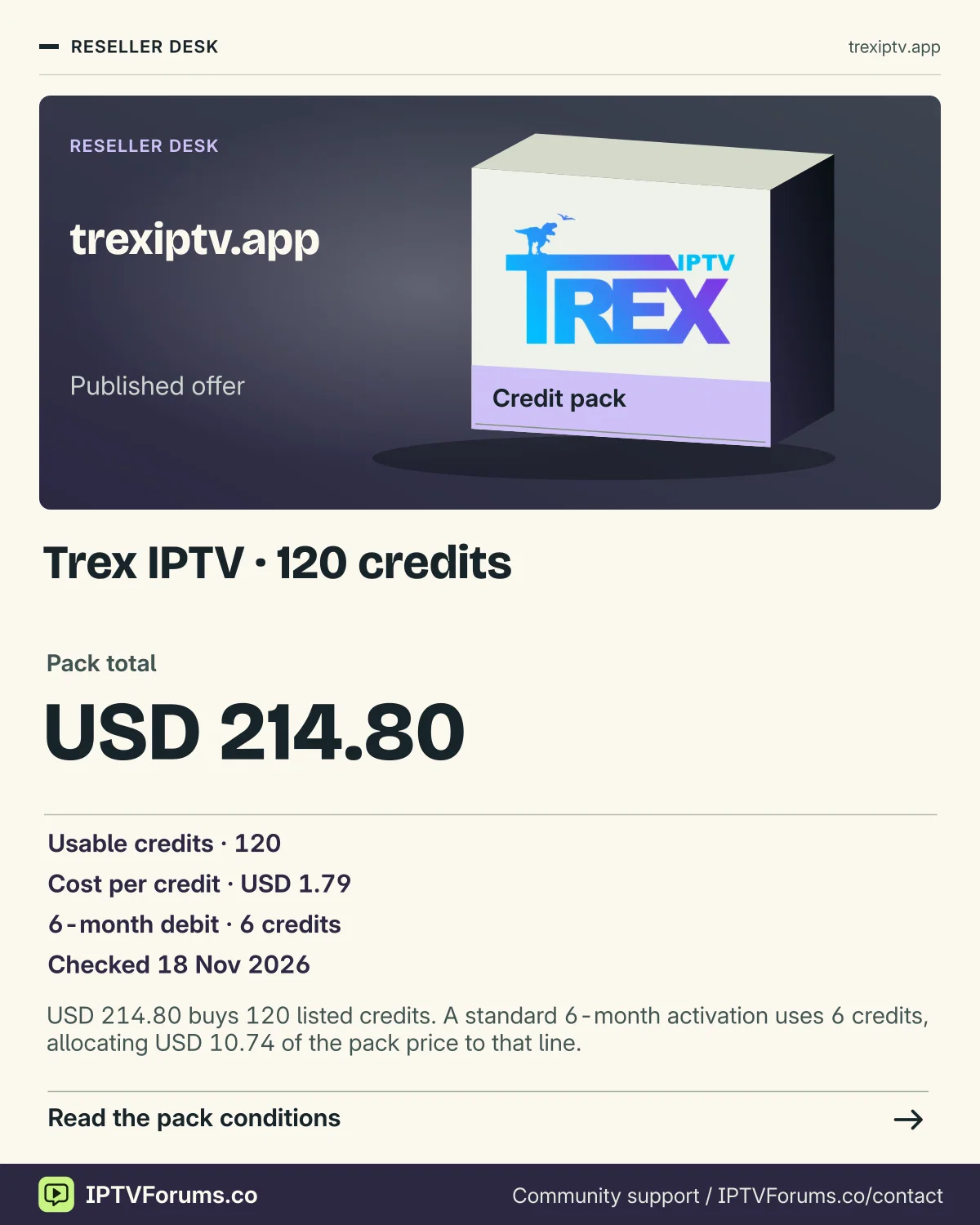
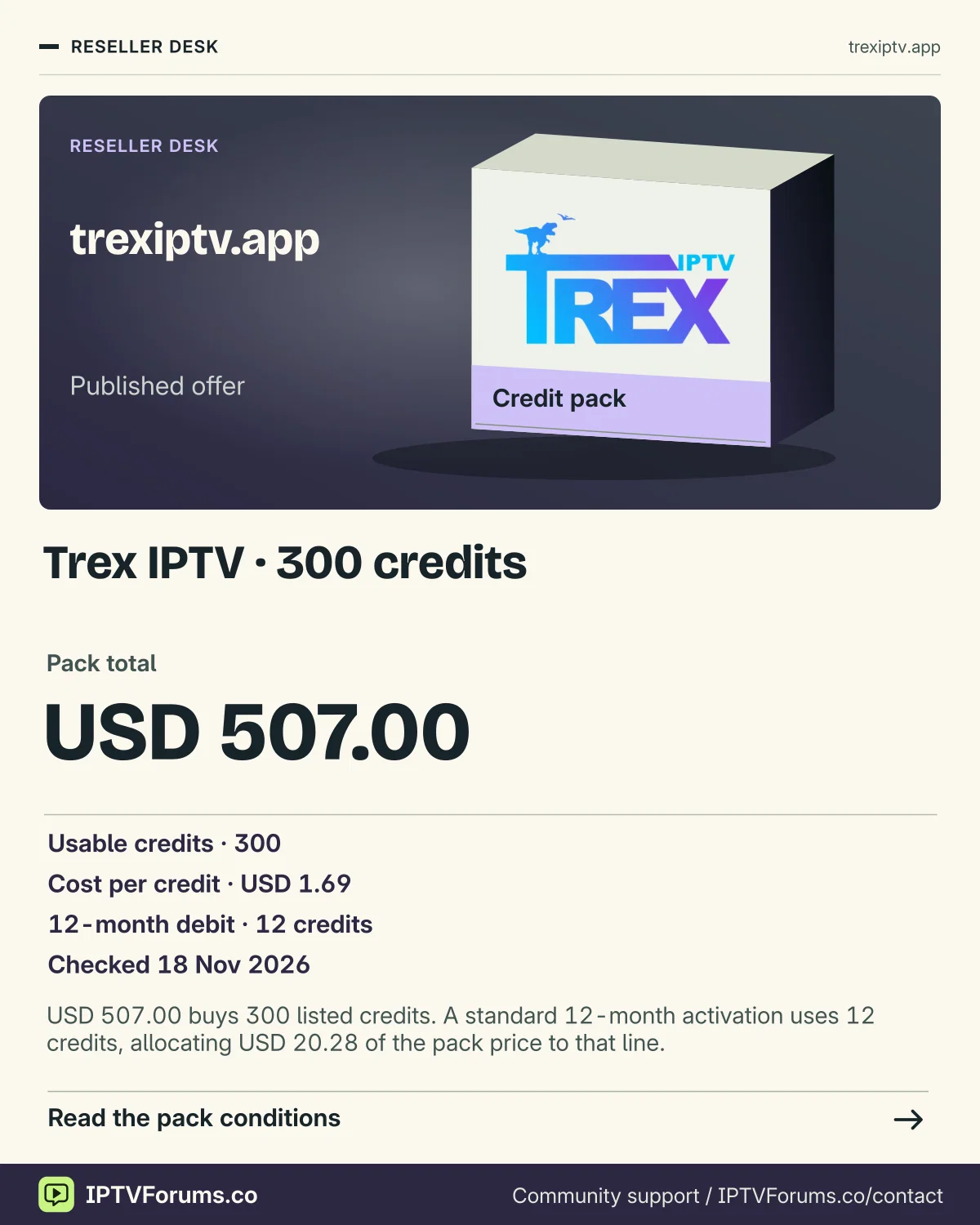
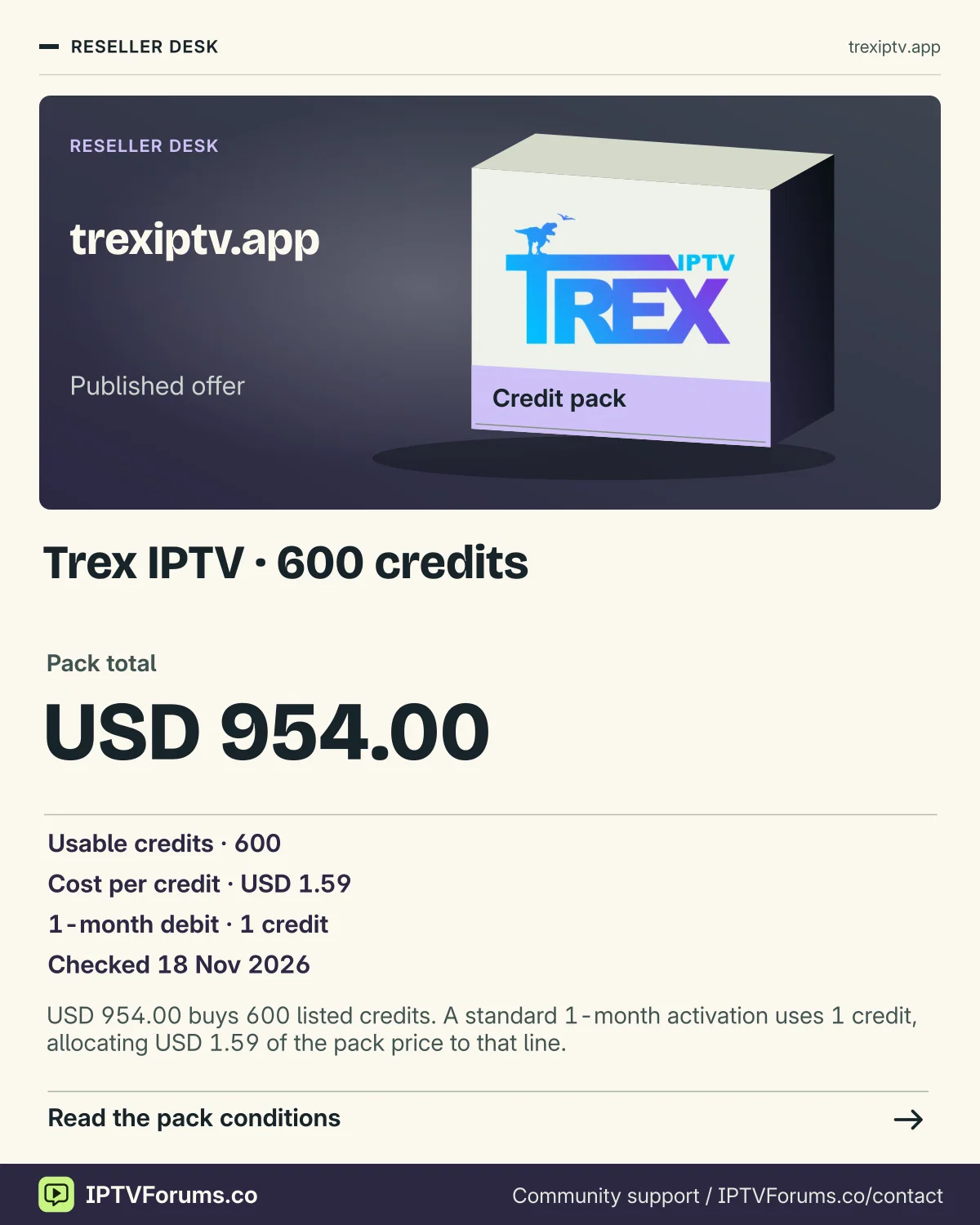
The dated Trex reseller table lists 60 credits for USD 111.00, 120 for USD 214.80, 300 for USD 507.00 and 600 for USD 954.00. One standard credit corresponds to one customer month. If you expect 100 customer-months of work and can buy two identical 60-credit packs at the listed rate, the two would total USD 222.00 and provide 120 credits. The listed 120-credit pack costs USD 7.20 less for the same 120 credits. The staged purchase may still suit a reseller whose second set of renewals is uncertain. Ask about price stability, purchase delays and unused balance conditions before relying on either path.
Consider a hypothetical operator starting with 120 credits. It has seven customers who confirmed twelve months and eight who confirmed three. That creates 84 and 24 customer-months respectively, leaving 12 credits if all actions use the standard debit. If an additional annual renewal becomes due before top-up, the remaining balance covers exactly that request. At the USD 1.79 unit rate, the direct credit cost for the confirmed 108 months is USD 193.32. A support hour, a payment fee or a separately charged licence changes the cost of the actual order. Keep those figures as separate entries so you can see why a customer’s total differs from the credit-only calculation.
If the mix changes from twelve-month to three-month orders, the purchase still leaves the same credit quantity in the panel. The months get used across more customer actions, which may require more provisioning and follow-up. A pack with the lowest published unit rate can sit unused if your customers renew at different times or choose shorter terms. Start from confirmed work and reserve capacity for pending adjustments. If a seller quotes a different debit for an account with more active connections, model it on a separate row until the issued panel and terms establish how that action is charged.
Resolve a receiver move before you buy another line
A Formuler box or MAG receiver changes the setup question. Begin with the installed player or portal interface on that box. Trex publishes separate help paths for these receiver families and for Android STBEmu. A familiar portal-style screen does not establish which account or registration applies to the new hardware. Ask the seller whether the account can move, which identifier it needs and whether the previous device remains authorised while you test the replacement. Share a required device identifier privately after confirming who needs it.
For a household replacing an older box, keep the current profile working until the provider explains the migration. Write down the receiver model and the way you enter the guide on the old device. On the replacement, identify the intended player and make sure it opens to the expected account screen. Once you have permission and the correct details, confirm a familiar channel, a saved favourite and a guide entry. If it works but the household cannot find the programme search with the new remote, treat that as a setup decision. A different app can open the same service and still change how a person uses it every night.
If the seller says the old device must be deactivated first, ask what happens if the new player cannot complete sign-in. Agree a fallback or support window before making the switch. A written note covering the old account, replacement device and effective time is enough to distinguish a delayed move from a problem with the new player. The procedure depends on the issued account, so keep a general receiver guide separate from what support actually approves.
Reserve credit for late changes, then reconcile one day at a time
Take a hypothetical Trex reseller with 300 available credits and 204 customer-months already committed this month. Suppose five annual renewals are due early next month but none have been entered. Hold 60 for those known dates. That leaves 36 before other changes. If the reseller also expects two eligible six-month renewals, keep those 12 as a separate reserve and treat 24 as available for new standard requests. Showing confirmed, reserved and unallocated amounts in different columns helps another operator see why the panel’s displayed balance exceeds what the business can safely commit.
Now imagine one of the five annual renewals is changed to a three-month term before it is processed. The reserved standard debit falls by nine credits, releasing that amount for another job. If the old action had already posted, keep both durations in the log and wait for an actual correction before using those nine credits. This is where the order date and the actual panel reference matter. A spreadsheet can change immediately even when the balance still reflects the earlier action.
At the 300-pack rate of USD 1.69 per credit, the direct credit cost for the 204 confirmed customer-months is USD 344.76. The invoice for the whole pack is USD 507.00. The difference represents money paid for capacity you have yet to use. A worksheet can carry the paid balance forward and make the timing explicit. Keep reversals, supplier adjustments and staff time as separate entries so you can explain how the amount spent this month relates to customers whose viewing terms end later.
Use the end date and balance to verify a renewal
Before a renewal, open the intended customer line and record its internal reference, current expiry and approved period. Review the debit and the expected resulting expiry before confirming. Then verify the resulting date and balance together. A pending action can look like a failed action while a panel is processing. If the result is unclear, ask the supplier to check the reference and balance movement before retrying. If the transaction posts with the wrong result, keep its record and add a separate entry for any correction support applies.
The reseller guide and distributor page treat permissions as a separate question from the credit total. If a colleague only needs to help customers check an expiry, identify the approved role for that task. If you need sub-reseller management, reporting or adjustments, obtain written confirmation of the issued account’s scope before delegating work. Store any customer credentials through an appropriate private process and put only the internal reference in the ledger. A screenshot can identify a menu after private details are removed, while the actual panel and agreement establish the permissions you receive.
Suppose a second operator takes over the next shift after a customer says a renewal has failed. A short handover should include the intended term, the recorded previous expiry, the action reference, the observed balance and the message already sent to support. The next operator can see whether a charge posted and whether the customer is waiting for a correction. Without that handover, another person might attempt the same renewal based only on the customer’s message. Keeping the source record with the operation saves time even when the issue turns out to be a delayed display update.
Keep the unresolved questions visible when you decide
A Trex app record can establish that a package was listed and a quote can establish the terms someone has offered. Neither tells you by itself how a particular programme will play at your usual time or whether another person can use a second screen. Decide which questions matter most and use the 24-hour window to test those you can test. Confirm the rest in writing. Keep programme rights and access tied to the appropriate broadcaster or service. Logos, player artwork and promotional references identify subjects while each programme and region has its own viewing arrangements.
For an ordinary purchase, the clearest decision comes from four written facts: the full amount and currency, the paid dates, the confirmed player route and the permitted sessions. For a reseller, add the per-action debit and the responsibilities attached to the issued account. If any missing detail could make the order unusable, resolve that detail before choosing a longer term or larger pack. Use the dated sources below to direct each question to the place that can answer it.
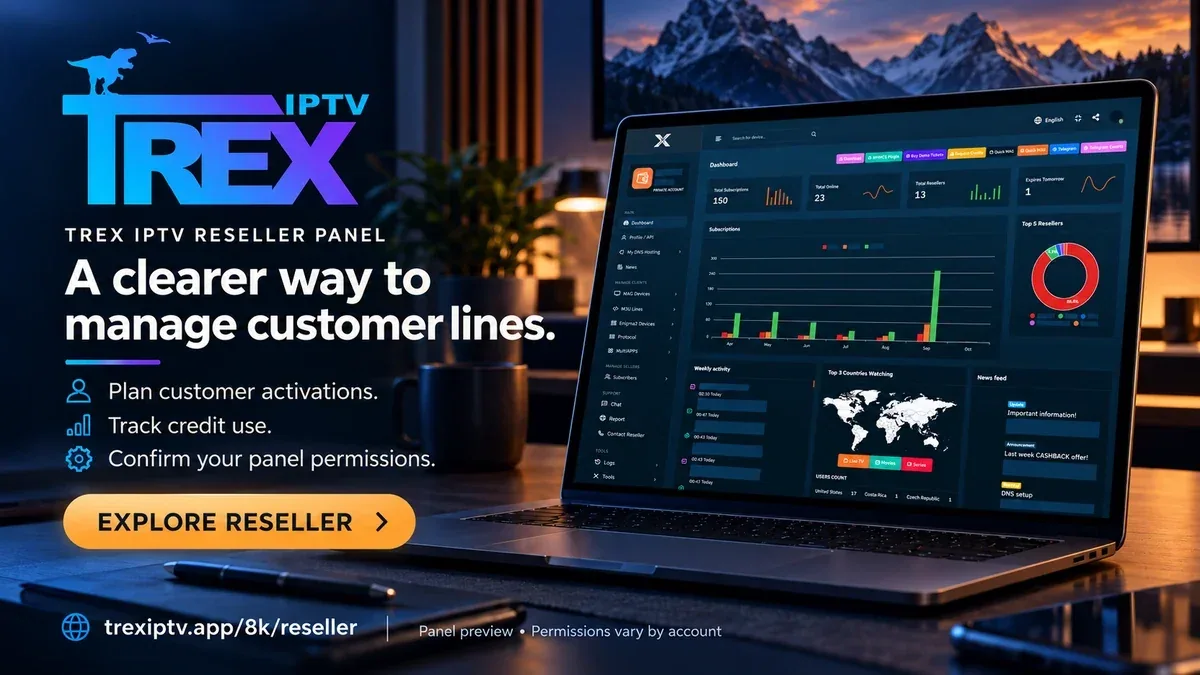
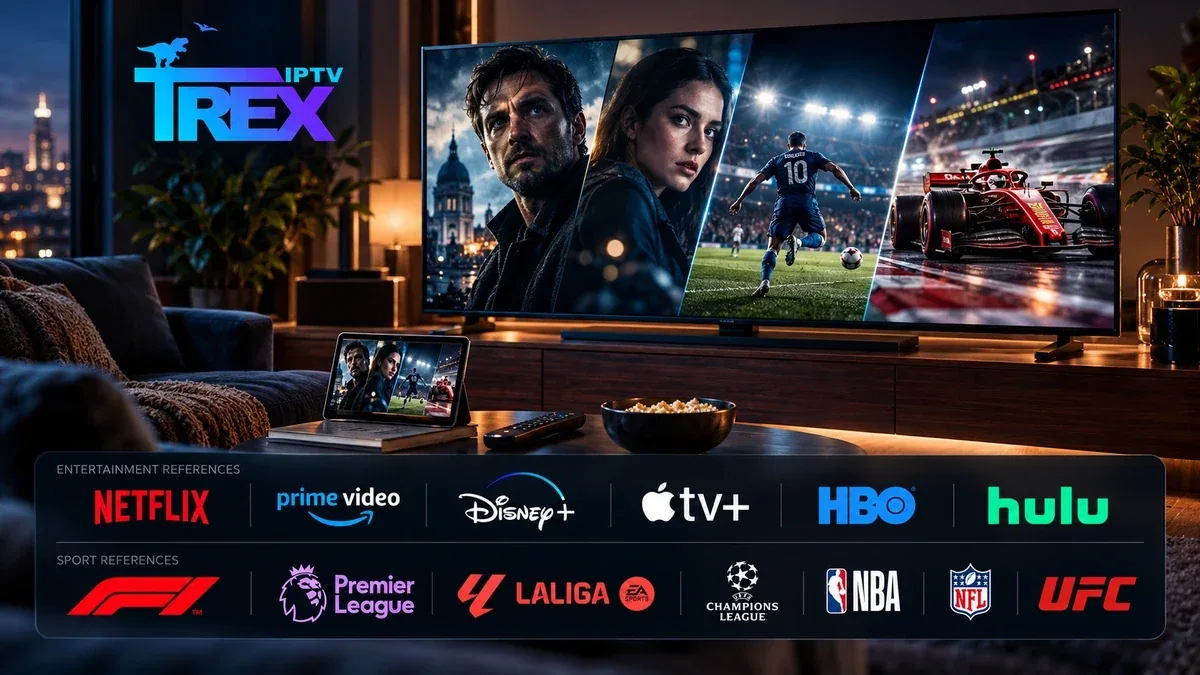
The movies and series artwork from Trex IPTV’s public site.Trex IPTV’s reseller artwork. Published credit terms appear in the reseller guide.Trex IPTV’s home viewing illustration from its public /OTT/ site.
Player interface references
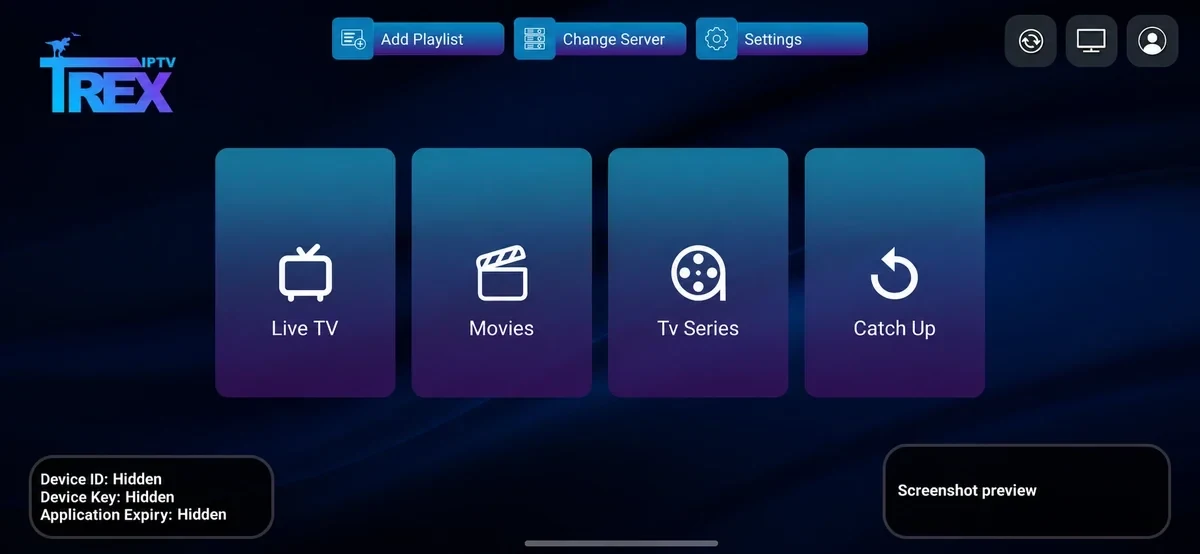
The Trex IBO playlist setup screen from the /OTT/ site.The Trex Pro welcome screen.The Trex IBO home screen with account identifiers masked in the provider release.Dashboard reference with private data masked in the provider release.