
Device guide
IPTV on Amazon Fire TV Cube
Match the Fire TV Cube generation and isolate the Cube’s app playback from HDMI input, receiver and network faults.
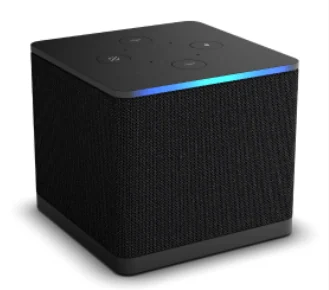
Identify the Cube before copying another setup
The 2018, 2019 and 2022 Fire TV Cube generations use the same broad name. Amazon lists AFTA for the first model, AFTR for the second and AFTGAZL for the third. The first runs Fire OS 6. The other two are listed with Fire OS 7, although their connections and hardware differ.
The 2022 generation includes HDMI input as well as HDMI output and a built-in Ethernet port. Make sure your test is coming from a Cube app. A cable box routed through HDMI input can show a picture on the same television while relying on its own signal and account.
| Generation | Build | What matters for this test |
|---|---|---|
| 2018 | AFTA | Check Fire OS 6 app requirements and the generation-specific networking options. |
| 2019 | AFTR | Check the second-generation connection layout before assuming a built-in jack. |
| 2022 | AFTGAZL | Identify HDMI IN, HDMI OUT and the built-in wired port separately. |
Find out which device goes black
Open the Cube Home screen, then run a known-good app directly on the Cube. If that works but the HDMI input device does not, look at the separate source, HDMI input and its output settings. If the Cube interface and apps also drop, simplify the output path to Cube → TV during the test. A soundbar or receiver can be reintroduced after you have a working control.
If audio drops but picture stays, record whether it is routed through a receiver or the TV speakers. Temporarily test on the television’s own speakers if the setup allows it. A working stereo test and a failing surround track give the app and equipment support teams something precise to compare.
Build a reliable wired or wireless baseline
- Use the supported Ethernet arrangement for that generation, or record the Cube’s existing Wi-Fi status.
- Check Fire TV Network Status before changing the app. Confirm which interface is active if you are switching paths.
- Run the same authorized programme at the same quality on the old and new connection. Repeat when the symptom usually happens.
- Record the Cube generation, which HDMI path you used, whether the Home screen was stable, and the first event that failed.
Sources and further reading
- Amazon · Fire TV device specifications
- Amazon Fire TV Cube device specifications · Port, model and platform differences
- Amazon Fire TV device identification · Retail names and build identifiers
- Amazon Fire TV Network Status tool · Device-to-router status and speed test